How it works
A video from a photo is made in image-to-video mode: the photo becomes the first frame, and the model invents what happens next, following your text description. It takes appearance, light and setting from the picture; all you provide is the motion.
The basics of animating, working with old photos and typical mistakes are covered in how to animate a photo with AI. If you have several photos and need a slideshow or a transition between them, read video from multiple photos. Here we cover something else: which AI to use for a specific task and how much it costs.
Which model to choose for the task
| Task | Model | Why |
|---|---|---|
| A real person in the photo | Kling v3.0, Veo 3.1 | more tolerant of photos of people, natural facial expressions |
| Product, interior, food | Veo 3.1 Lite or Fast | realistic light, neat camera movement |
| Cartoon or generated character | Seedance 2.0 Mini, Seedance 2.0 | stylisation, keeps the character consistent |
| Cheap draft | Seedance 2.0 Mini in 480p | test an idea for 24 rubles |
| Video with sound and music | Veo 3.1, Kling v3.0, Seedance | sound is generated together with the video |
| Long clip up to 30 seconds | Kling 4.0, Seedance 2.5 | 30 seconds in a single generation |
| A person repeats a movement or dance | Kling Motion Control | motion from your own video |
| A person talks or sings in your voice | OmniHuman 1.5 | photo plus your audio recording |
An important caveat about Seedance: the models in this line are not designed for photos of real people and may refuse to generate. For objects, animals, illustrations and generated characters they work very well.
A prompt formula for motion
A prompt for video from a photo describes only what is not in the picture. It is convenient to build it with a formula:
what moves + how (pace, strength) + what the camera does + what stays unchanged + sound.
Examples for different tasks.
Portrait of a person:
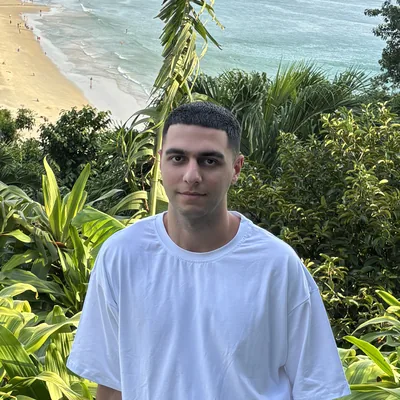
The man slowly turns his head toward the camera, smiles slightly and blinks. Static camera. Face and clothes stay unchanged. No music.
Product:
The perfume bottle stays in place, soft light slowly drifts behind it, a highlight runs across the glass. The camera slowly orbits the bottle in an arc. The label stays unchanged. Quiet ambient.
Cartoon character:
A red cartoon fox jumps with joy and waves its paw, its tail bounces. The camera moves slightly closer. A cheerful children’s tune.
Three rules that save attempts:
- One main action per clip. Two or three actions in a row often get mixed up.
- Pace in words. «Slowly», «smoothly», «barely noticeable» give a neat result; «sharply» and «fast» break anatomy more often.
- Camera separately. Push-in, orbit, truck, crane up: the list of terms is in camera movements for AI video.
If you are not sure about the wording, press «Improve»: KADR (kadr-ai.ru) rewrites the prompt for the selected model. It is free, 10 times a day.
Formats: 9:16 and 16:9
When you animate a photo, the frame is built from your picture, so the most reliable approach is to prepare the photo in the right aspect ratio beforehand.
- 9:16 for Reels, Shorts, VK Clips (the short-video section of the Russian social network VK) and stories.
- 16:9 for YouTube, presentations and websites.
- 1:1 or 4:5 for the feed.
If the photo is horizontal but you need a vertical clip, do not crop the face in half. Extend the frame to 9:16 in an editing model: in Nano Banana Pro this is one edit for 16 tokens (about 25 rubles) in 2K. Then animate the resulting vertical frame. All sizes for platforms are in the cheat sheet social media formats.
Video from a photo with music
There are two ways.
Music from the model. Veo 3.1, Kling v3.0 and Seedance generate sound together with the video. Describe it at the end of the prompt: «soft piano music», «cheerful acoustic guitar». Sound costs money: on Kling v3.0 a 6-second 720p clip goes from 84 to 126 rubles, on Veo 3.1 Lite from 32 to 52 rubles. And the model cannot fit it to a specific track.
Your own track. Generate the video without sound and add the music in a video editor. It is cheaper, and you know exactly what plays. More about sound in generation: how to add voice and sound to video with AI.
How much it costs
Prices per clip on KADR.
| Model | Parameters | Tokens | Rubles |
|---|---|---|---|
| Seedance 2.0 Mini | 6 s, 480p, with sound | 15 | ~24 |
| Veo 3.1 Lite | 6 s, 720p, no sound | 20 | ~32 |
| Seedance 2.0 Mini | 6 s, 720p, with sound | 30 | ~47 |
| Veo 3.1 Lite | 6 s, 720p, with sound | 33 | ~52 |
| Kling v3.0 | 6 s, 720p, no sound | 53 | ~84 |
| Veo 3.1 Lite | 6 s, 1080p, with sound | 53 | ~84 |
| Kling v3.0 | 6 s, 720p, with sound | 80 | ~126 |
| Veo 3.1 Fast | 6 s, 1080p, with sound | 80 | ~126 |
| Kling Motion Control | 10 s, 720p, motion from your video | 134 | ~212 |
| OmniHuman 1.5 | 10 s, talks to your audio | 195 | ~308 |
| Seedance 2.5 | 30 s, 480p, with sound | 502 | ~794 |
| Kling 4.0 | 30 s, 1080p, no sound | 776 | ~1227 |
Prices on KADR, November 2026. This is not a public offer. The price of every generation is shown before you start.
Can you do it for free
You can make a video from a photo with AI for free, with limits, in Yandex services: for example, Alice AI (the Yandex assistant) gives you a clip of up to 4 seconds in 480p without sound. Step by step: Alice, animate my photo.
KADR has no free mode. It does have cheap models for drafts: on Seedance 2.0 Mini in 480p, testing an idea costs about 24 rubles. Top-ups start at 50 tokens (about 80 rubles) with a Russian card or via SBP (Russia’s Faster Payments System), no subscription.
Step by step on KADR
- Prepare the photo in the right aspect ratio, with the face large and sharp.
- Choose a model from the task table.
- Upload the photo as the first frame. For models with a mode switch this is the «Кадры» (Frames) tab.
- Write the prompt using the formula, or press «Improve».
- Start with a draft in 480p or 720p, short. Make the final in 1080p once you like the motion.
In short
AI makes a video from a photo using your picture as the first frame, and you describe only the motion. Choose the model for the task: people on Kling or Veo, products on Veo, cartoon characters on Seedance, 30 seconds on Kling 4.0 or Seedance 2.5, dances on Kling Motion Control.
Prepare the photo in 9:16 or 16:9 right away and write the prompt with the formula «what moves, how, camera, what stays unchanged, sound». A draft costs from 24 rubles, a 6-second clip with sound 47-126 rubles.