Example
A logo for the fictional coffee shop «Зерно» (Grain):
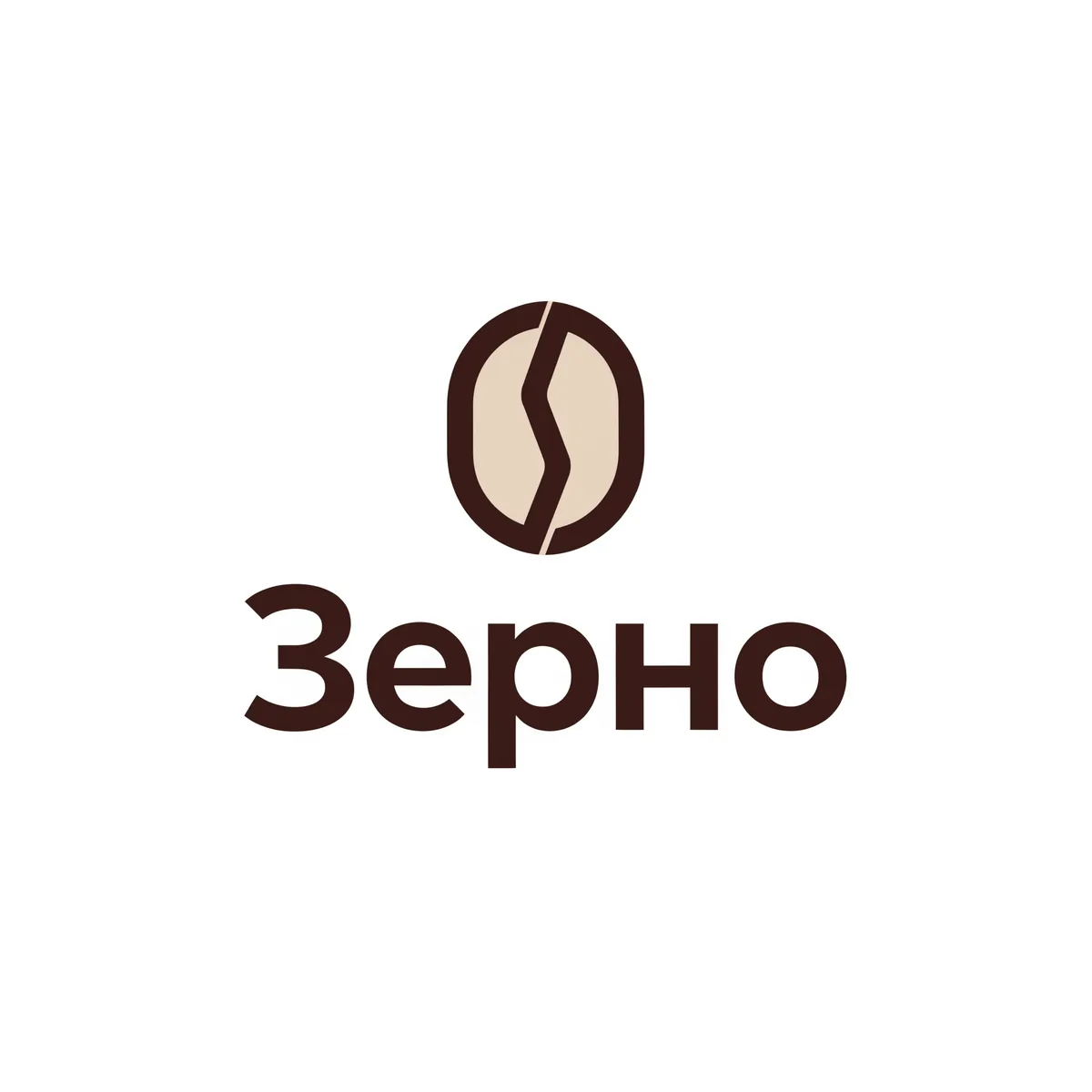
A simple geometric icon, two colors, a clear font: a mark like this reads both on a shop sign and on a tiny profile icon.
Prompt
Model: Recraft v4.1 Pro, 2K.
Minimalist vector logo for a small coffee shop called «Зерно». A simple geometric coffee bean shape combined with the Cyrillic letter З, flat design, two colors: dark brown and warm cream. Clean bold sans-serif wordmark «Зерно» below the icon. Centered on a plain white background, no gradients, no mockup, readable at small icon size.
Formula:
- The name in quotation marks.
- Business area and icon idea: what the mark stands for.
- Style: minimalism, flat vector, line art, emblem.
- Colors: 2, at most 3.
- Font: sans-serif, serif, handwritten.
- Constraints: white background, no gradients, no mockup, readable at small sizes.
On KADR, Recraft v4.1 Pro returns a 2K image, not an SVG file: for a shop sign and large-format print, convert the logo to vector with a vectorizer or a designer.
Several concepts at once
Four different logo concepts for an online flower shop «Букетная», each in its own square on a white background: 1) line art flower monogram, 2) bold wordmark, 3) round badge emblem, 4) abstract petal icon. Flat vector style, maximum two colors in each, no gradients.
«Букетная» is a made-up shop name derived from the Russian word for “bouquet”. Four directions in one generation help you quickly see which style you like, then refine it separately.
Mockup
Model: Nano Banana Pro, upload the finished logo.
Place the logo from the uploaded image on a paper coffee cup, a storefront sign and a business card in one realistic photo mockup on a wooden table. Keep the logo exactly as in the uploaded image: shapes, letters and colors.
A mockup shows how the logo looks in real life and helps you choose between options.
Checking against other trademarks
This is the most important step, especially if the logo will go on packaging, a sign or a marketplace.
- Name: search for it and for similar spellings and transliterations in the open FIPS registers (registered marks and filed applications), limiting the search to the relevant Nice classes.
- Image: free image search in the registers is limited. Compare visually with competitors’ logos in your niche.
- Before registration and large print runs: order a check from a patent attorney. Confusing similarity is the most common reason for refusal.
Why this matters: other people’s brands, logos and characters in AI.
What to avoid
- Small details and thin lines: they disappear at small sizes.
- More than 3 colors.
- Gradients, if you need vector and print.
- Famous brand names in the prompt («like Starbucks»): you will get a copy and a refusal from the model.
What next
You will need the logo on banners and covers: sale banners, YouTube thumbnails.
How much it costs
| What | Model | Approx. |
|---|---|---|
| 1 logo option | Recraft v4.1 Pro | ~38 rub. |
| 4 concepts + 1 refinement | Recraft v4.1 Pro | ~76 rub. |
| Mockup | Nano Banana Pro, 2K | ~25 rub. |
KADR prices, October 2026. This is not a public offer.
In short
A logo with AI is made on Recraft v4.1 Pro: the name in quotation marks, an icon idea, a flat style, 2 colors, a white background. A mockup on packaging and a sign is made on Nano Banana Pro. Before printing and registration, check the name in the FIPS registers, and leave the similarity of the image to other marks to a patent attorney.