Before-and-after example
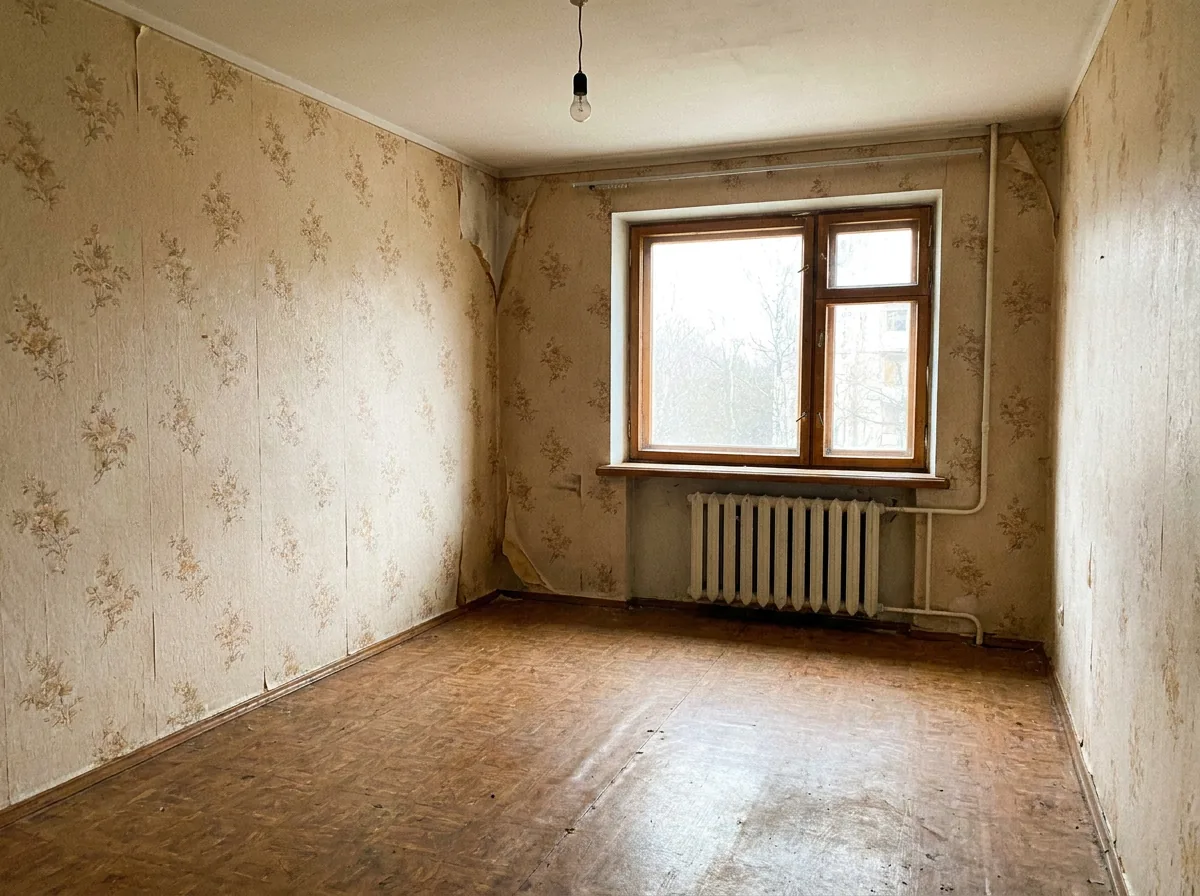
Before: an empty room in an old apartment: wallpaper, linoleum, a radiator under the window.
After: the same room in Scandinavian style.
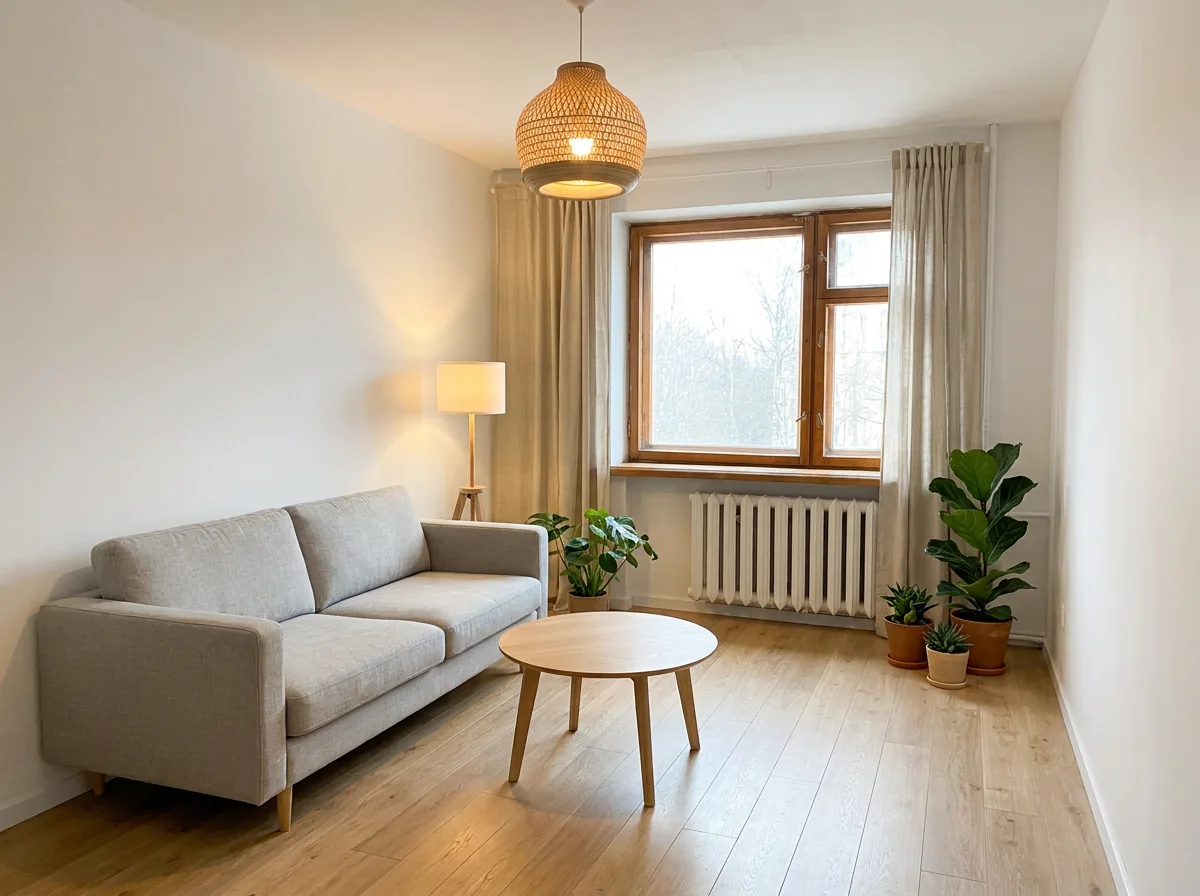
The window and the radiator are in place, the room size and the camera angle have not changed. Only the finishes, furniture and lighting are different.
A new style for the room
Model: Nano Banana Pro, 2K, the same format as the photo.
Redesign the interior of this room in a warm Scandinavian style: light oak floor, white walls, light grey fabric sofa, wooden coffee table, linen curtains, green plants, soft warm lighting. Keep the room geometry exactly the same: walls, window, radiator, ceiling height, room size and camera angle. Photorealistic interior photo.
Swap the style for your own: «loft with exposed brick and black metal», «minimalist Japandi», «classic with moldings».
The renovation before the renovation
Show this room after renovation: replace the old wallpaper with smooth sage green paint, replace the floor with herringbone oak parquet, add recessed ceiling lights. Keep the layout, windows, doors and furniture placement unchanged. Photorealistic.
Kitchen
Redesign this kitchen: matte white handleless cabinets, light stone countertop, open wooden shelves, warm under-cabinet lighting. Keep the walls, window, door, sink and stove positions exactly where they are. Photorealistic.
Keep the sink and the stove where they are: moving utilities is a separate and expensive project.
How to photograph the room
- At eye level, from a corner, to capture more of the space.
- During the day, in natural light, without flash.
- Without strong wide-angle distortion.
- Furniture can stay in the shot: ask the model to replace it or keep it.
Prompt rules
- List what must not change: walls, windows, doors, radiators, ceiling, size, camera angle.
- One big change at a time: first the style, then the wall color, then the furniture.
- Specific materials: «light oak herringbone» instead of «a nice floor».
- Several options: 3 to 5 styles for one room cost from 76 to 126 rubles and make the choice much easier.
Limitations
- The color on screen differs from reality: check the final shade with a test patch.
- The model does not measure: a sofa may «fit» in the picture and not fit in real life.
- This is a visualisation of an idea, not a project with wiring, plumbing and a cost estimate.
For selling and renting out an apartment there is a separate article: AI for real estate agents.
How much it costs
| What | Generations | Approx. |
|---|---|---|
| 1 room option, 2K | 1 | ~25 rub. |
| 5 styles for one room | 5 | ~126 rub. |
| Whole apartment, 4 rooms with 3 options each | 12 | ~304 rub. |
KADR prices, October 2026. This is not a public offer.
In short
Interior design with AI: a photo of the room, a new style and a strict list of what must not change (walls, windows, radiators, size, camera angle). That way, for about 25 rubles per option, you can try out styles, wall colors and furniture before the renovation. AI gives you an idea; check dimensions, colors and utilities in real life.