How it works today
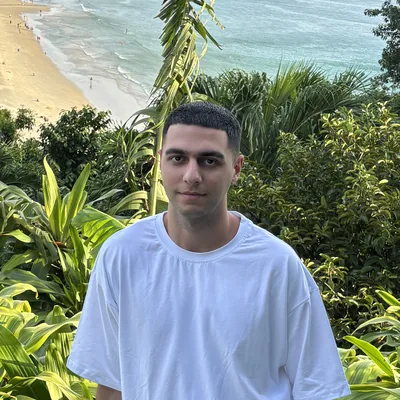
An AI photoshoot used to require uploading 15 to 30 photos, waiting while the service fine-tuned a model on your face, and only then generating. The editing models of 2026 work differently: one photo is enough for them. You upload a shot and describe the new look in words, and the model redraws everything around you while keeping your face.
Nano Banana Pro from Google handles this best. More about the model: Nano Banana Pro review.
Step 1. Choose the source photo
Half of the result depends on the source.
Suitable:
- a front-facing or nearly front-facing face;
- daylight, no harsh shadows;
- the face is large and takes up a noticeable part of the frame;
- no sunglasses, masks or heavy filters;
- a neutral expression or a slight smile.
Not suitable: selfies from below, group photos, night shots, photos with beauty filters, profile shots.
If you have 2 or 3 good photos from different angles, upload them together: the likeness will be more consistent.
Step 2. Choose the looks
Plan the series in advance: 3 to 5 looks for your goal.
- For social media: studio, city, cafe, nature.
- For a CV and LinkedIn: business portrait, studio on a light background.
- For an expert’s website: business look, at work, giving a talk.
- For a holiday: New Year portrait, a greeting card. A separate article: New Year AI photoshoot.
Step 3. Prompts
Every prompt starts with «Keep the face and features of the person in the photo unchanged».
Studio:
A professional studio portrait, a dark grey seamless backdrop, a black turtleneck, soft light from the left, 85mm, shallow depth of field. 4:5 format.
City:
Walking down an old European street at sunset, a beige trench coat, a natural smile, 35mm film photography, warm tones. 4:5 format.
Business portrait:
A business portrait, a navy blue blazer, a blurred bright office in the background, a confident friendly look, daylight. 1:1 format.
27 more ready-made prompts: prompts for Nano Banana Pro.
Step 4. Generation and selection
- Choose Nano Banana Pro and 2K resolution (4K for print).
- Upload the photo and paste the prompt.
- Make 2 variants of each look and pick the best one.
- If something is off, ask for an edit with the next prompt: «the same, but a softer smile», «the same, but a lighter background».
Not sure about the wording: on KADR the «Improve» button will rewrite the prompt and suggest parameters.
How to keep the likeness
- One edit at a time. Do not change the background, clothes, hairstyle and age all at once.
- Do not ask to «make it prettier». The model will start changing your features.
- Repeat «keep the face unchanged» in every prompt.
- If the face has «drifted», go back to the source photo instead of editing the already changed one: errors accumulate.
How much it costs
| What | Generations | Approx. |
|---|---|---|
| 1 portrait, 2K | 1 | ~25 rubles |
| A series of 5 looks, 2 variants each | 10 | ~250 rubles |
| The same with a margin for failures | 15 | ~380 rubles |
| 1 portrait for print, 4K | 1 | ~44 rubles |
KADR prices, October 2026. This is not a public offer. For comparison: a studio photoshoot with a photographer costs thousands of rubles and takes half a day.
What is allowed and what is not
You can make an AI photoshoot of your own face without restrictions. Photos of another person only with their consent: a citizen’s image is protected by law, more in the article deepfakes and the law. For a CV and business profiles, keep the look close to reality: the real you will be the one showing up for the interview.
For a messenger profile: an avatar with AI. In a different style: yourself in anime style.
In short
For an AI photoshoot today you only need one sharp front-facing photo and an editing model like Nano Banana Pro. Start every prompt with «keep the face unchanged», describe the background, clothes, lighting and format, and change one thing at a time. A series of 10 portraits in 2K costs about 250 rubles.