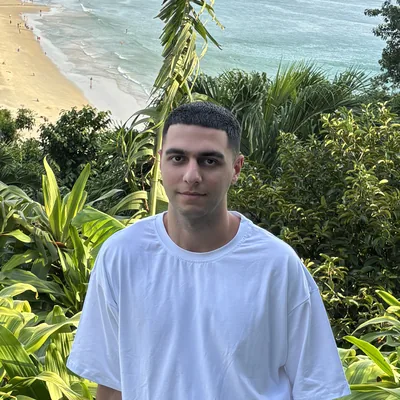
What OmniHuman 1.5 is
OmniHuman is made by ByteDance, the same company behind Seedance. The model does one job: it takes a photo of a person and an audio file and turns them into a clip where that person talks or sings.
The key difference from regular video models with sound: Veo 3.1, Kling or Seedance write the speech themselves from your prompt, and in Russian it often comes out with an accent. OmniHuman invents nothing: the voice in the clip is exactly yours, and the model fits the lips, facial expressions and gestures to it. That is why you pick it when the recording already exists or when a specific voice matters.
I covered the whole path to a digital presenter, from the face to a long clip, in a separate article: how to make a talking AI avatar. This one is only about the model itself.
Parameters on KADR
| Parameter | Value |
|---|---|
| Input | exactly 1 photo of a person and 1 audio file |
| Length | same as the audio, 2 to 30 seconds |
| Resolution | 720p, no choice |
| Format | same as the photo: a vertical photo gives a vertical clip |
| Sound | exactly your audio, any language |
| Prompt | optional |
Audio works in MP3, M4A, WAV or AAC. How to run it: pick OmniHuman 1.5 among the video models, add the photo and the audio with «+», and add a short prompt if you like. The price appears before you start and depends only on the audio length. Generation takes a few minutes.
Prices
| Audio length | Tokens | Rubles |
|---|---|---|
| 2 s | 40 | ~63 |
| 5 s | 98 | ~155 |
| 10 s | 195 | ~308 |
| 15 s | 293 | ~463 |
| 20 s | 390 | ~617 |
| 30 s | 585 | ~925 |
KADR (kadr-ai.ru) prices as of November 2026. Not a public offer.
Rubles are on the base pack (1 token is about 1.58 rubles); larger packs are cheaper. Length is counted from the audio and rounded up to a whole second: a 9.3-second recording is billed as 10. So trim the silence at the start and end, you pay for it too.
Where to get the audio
1. Your own recording. A phone voice recorder is enough. Record in a quiet room, hold the phone 20-30 centimeters from your mouth, with no music or noise in the background. Speak clearly at a normal pace: with fast patter the lips hit less accurately. If you need exactly your own voice, this is the only option: KADR cannot clone your voice.
2. A voiceover in the «Audio» tab. Paste the text and pick a ready voice, one from the library, or create a new one from a description (“male voice, 40 years old, calm, low”). ElevenLabs models:
| Voiceover model | 30 s of speech (~400 characters) | A minute (~1000 characters) |
|---|---|---|
| Flash v2.5 | 13 tokens, ~21 rubles | 30 tokens, ~47 rubles |
| Multilingual v2 | 25 tokens, ~40 rubles | 60 tokens, ~95 rubles |
| v3 (more emotion) | 25 tokens, ~40 rubles | 60 tokens, ~95 rubles |
KADR prices as of November 2026. Not a public offer.
The finished voiceover is saved to «My files». In OmniHuman press «+», choose «My files», then the «Audio» tab, and the file is attached without downloading. More about voice and sound in clips: how to add a voice to a video with AI.
3. A song. For a singing character, upload a fragment of the track up to 30 seconds. I recommend a part where the vocals are loud and clean: the less the voice is buried under instruments, the more accurate the lips. About full music videos: AI music video.
Which photo works
Clip quality is decided almost entirely at this step.
- The face is large and clearly visible. A chest-up or waist-up portrait, facing the camera or with a slight head turn. In profile the lips are hard to see.
- The mouth is closed or slightly open. A neutral expression gives the model freedom: it opens the mouth to the sound itself. With a wide toothy smile the articulation looks less natural.
- Good, even light. No harsh shadow over half the face, no glare on glasses, hands and hair don’t cover the mouth.
- A sharp photo. Not a messenger screenshot and not a blurry frame: the model will not invent facial detail.
- The right format from the start. The clip will be in the photo’s format, so crop the photo to 9:16 in advance for Reels and Shorts, and to 16:9 for YouTube.
- Visible hands and shoulders mean gestures. If only the face is in the frame, the movement will be mostly in the expression and the head.
You can generate the character: make a portrait in a photo model (Nano Banana, GPT Image) and then animate it in OmniHuman. If you use a photo of a real person, do it only with their consent: deepfakes and the law.
Prompt
The prompt is optional. If you want to set the mood, write a short English line about emotion, gestures and camera. Don’t describe the words or lip movement, they come from the audio.
Example for a presenter:
Calm friendly expression, slight head nods, soft natural hand gestures, static camera.
Example for a song:
Emotional singing, eyes half closed on long notes, gentle body sway, slow push in.
Limitations
- 720p only. You cannot choose 1080p.
- Audio up to 30 seconds. Cut long text into pieces by phrase, make several clips from the same photo and join them. How to assemble long clips: long video with AI.
- Exactly one photo and one audio file. No reference photos and no second speaker.
- The format cannot be chosen, it always matches the photo.
- The model does not invent a scene. The background, clothes and surroundings come from the photo. If you need a different location, change the photo.
- Russian speech. The voice is yours with no accent, but with very fast speech and swallowed syllables the lips sometimes miss. A clear recording solves most of this.
When to choose OmniHuman and when another model
OmniHuman 1.5 fits if:
- you already have a recording: an address, a lesson, a podcast excerpt, a testimonial, a song;
- a specific voice matters, yours or a narrator voice from «Audio»;
- you need a talking presenter for an online course, social media or a greeting.
Choose another model if:
- there is no recording and you want the model to invent both the scene and the speech: Veo 3.1, Kling v3.0 or Seedance 2.5 with sound, compared in the article about AI avatars;
- the person should dance or repeat movements from a video: Kling Motion Control, more in the article on a dancing photo with AI.
In short
OmniHuman 1.5 animates a photo to your audio: the person talks or sings in your voice, lips in sync, with facial expressions and gestures. On KADR it is 720p, 2 to 30 seconds, the format follows the photo, about 19.5 tokens per second: 10 seconds cost about 308 rubles. Record the voice yourself or voice the text in the «Audio» tab, and use a large, front-facing photo with a closed mouth and even light.