How AI photo editing works
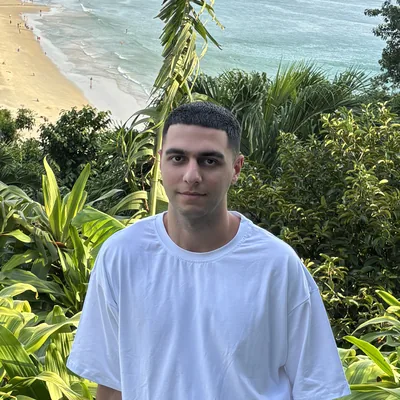
A classic editor takes skill: masks, brushes, layers. AI photo editing works from text. You upload a shot and write what to change, and the model redraws the whole image, keeping what you asked it to keep.
Hence the main rule of any prompt:
What to keep + What to change + Light and details + Aspect ratio
Without the first part the model may «improve» the face, change the clothes or move objects. That is why almost every prompt below starts with «Keep…».
The same model serves both as AI for changing a photo (new background, clothes, style) and as AI for enhancing a photo (light, retouching, sharpness): the only difference is the prompt.
Which AI to choose for photo editing
| Model | Resolution | Price with your photo | Best for |
|---|---|---|---|
| Nano Banana Pro | 2K / 4K | 16 t (~25 ₽) / 28 t (~44 ₽) | people, faces, complex edits, Russian text |
| Nano Banana 2.1 | 2K / 4K | 6 t (~9 ₽) / 13 t (~21 ₽) | simple edits, products in new scenes |
| Nano Banana 2 Lite | 1K | 4 t (~6 ₽) | drafts and tests |
| Seedream 5.0 Pro | 2K | 17 t (~27 ₽) | realistic scenes, up to 10 reference photos |
| Seedream 5.0 Lite | 4K | 5 t (~8 ₽) | landscapes, interiors, style |
| GPT-5.4 Image 2 | 1K, medium quality | 6 t (~9 ₽) | precise following of a complex request |
KADR (kadr-ai.ru) prices per image, November 2026. For Seedream 5.0 Pro the price with an uploaded photo is higher than without one; the table shows the edit price. This is not a public offer.
In short, the best AI for editing photos of people right now is Nano Banana Pro. For everything else, try the cheaper models first and move to Pro only if the result does not satisfy you. More: Nano Banana Pro review.
Below are prompts for AI photo editing for six tasks. Copy them whole and adjust the details to your shot.
1. Replace the background
To keep the person from looking pasted in, ask the model to match the light to the new background.
Keep the person, face, clothing and pose unchanged. Replace the background with a seaside café terrace at sunset. Adjust the light and color on the person to the new scene so the photo looks like a single shot.
More options, including a white background for marketplaces: change a photo background with AI.
2. Change the light
Light changes the mood more than anything else, and the face is barely touched.
Keep everything in the photo unchanged, change only the lighting: soft warm golden hour light from the left, long shadows, a slight glow in the hair.
Keep everything unchanged. Make the shot look like evening: blue dusk outside the window, warm light from a desk lamp on the face.
3. Change the clothes
Keep the face, hairstyle, pose and background unchanged. Dress the person in a light beige linen suit and a white T-shirt. Fabric with natural folds, well fitted.
If there are several people in the photo, say whom to dress: «the man on the left», «the girl in the center».
4. Remove unwanted objects
Remove the person in the background on the right and the wires above the street. Fill their place with the background so that no traces remain. Everything else unchanged.
It works best on a uniform background: sky, a wall, grass. On a complex pattern the model may leave a smudge; then make another attempt.
5. Change the style
Redraw the photo as a pencil sketch on beige paper, thin lines, light hatching. Keep the recognizable facial features and the composition.
Make the photo look like a glossy magazine shoot: contrasty studio light, rich colors, a clean background. Face and features unchanged.
Anime, 3D and comics are covered separately: yourself in anime style.
6. Retouching
The main retouching mistake is asking to «make it prettier». The model will start changing the features. Ask for specific things and forbid smoothing.
Careful portrait retouching: remove redness and a couple of pimples, even out the skin tone, reduce the shadows under the eyes. Keep the pores, skin texture, moles, face shape and features unchanged. No plastic effect.
If you need more sharpness and resolution rather than a change in appearance, that is a separate task: improve photo quality with AI.
Step by step
- Take a sharp photo: the face large, without heavy filters.
- Choose the model from the table above and the resolution.
- Set the aspect ratio to match the original or the platform.
- Upload the photo and paste the prompt. Not sure about the wording: the «Improve» button rewrites the prompt for the model.
- One edit at a time. Background first, then light, then clothes.
- If something drifted, go back to the original.
What a typical edit costs
| Task | Model | Generations | Tokens | Approx. |
|---|---|---|---|---|
| Test edit | Nano Banana 2 Lite | 3 | 12 | ~19 ₽ |
| New background for a portrait | Nano Banana Pro 2K | 2 | 32 | ~51 ₽ |
| A series of 5 edits, 2 variants each | Nano Banana Pro 2K | 10 | 160 | ~253 ₽ |
| Interior in 4K | Seedream 5.0 Lite | 3 | 15 | ~24 ₽ |
KADR prices, November 2026. This is not a public offer. KADR has no free mode, but no subscription either: you pay only for images, and tokens never expire.
If the result is not right
- The face changed. Repeat «keep the face and features unchanged», change less at a time, upload 2-3 photos of the person.
- The person looks pasted in. Add «match the light on the person to the new background».
- The model refused. The moderation filter fired; try another model or remove names from the prompt: why AI refuses to generate.
What AI cannot do yet
- A transparent background. Asked for a «transparent background», the model draws a white or checkered one. Create the object on a clean white background and cut it out in any editor.
- An exact copy of small text and logos. The model redraws everything, so small lettering can get distorted. Check it separately.
- Documentary accuracy. An edited photo is a new image, not the original shot. It is not suitable for documents.
Ready-made wording for photoshoots from your own photo: photo prompts for AI.
In short
AI photo editing changes a shot by text command: background, light, clothes, style, removes unwanted objects and retouches. Write what to keep and what to change, and change one thing at a time. For photos of people use Nano Banana Pro (about 25 rubles in 2K); for simple edits and drafts Nano Banana 2.1 or Nano Banana 2 Lite are enough (6-9 rubles).